




ONLINE BANKING

Enroll in online banking.

Get virtually 24/7 access to manage and move your money, view recent transactions, get security alertsDisclosure 1 , and more.

Download the mobile appDisclosure 2

Scan this code with your phone’s camera to download.

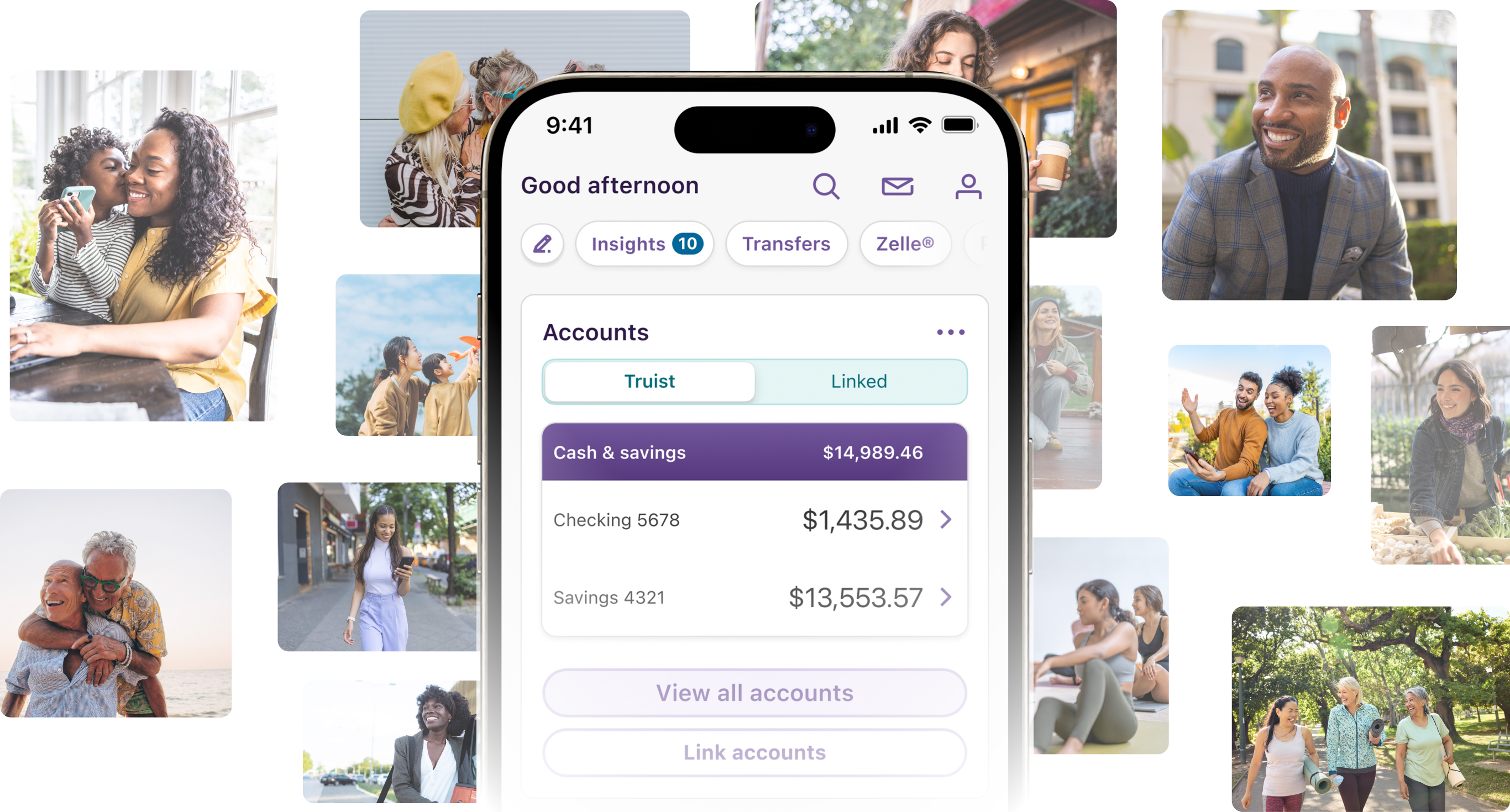
Everyday banking on your terms

Enjoy Truist’s online and mobile banking experience that keeps your accounts safe and you in control.

Image of the Truist mobile app surrounded by lifestyle images
Security is a team effort

We're constantly enhancing our security efforts to help stay ahead of potential threats.

Bank on your schedule.

Your account goes with you, so you can pay, transfer, and deposit whenever it’s most convenient.

Financial empowerment

Get access to tools, knowledge, and insights that help you see your finances in new ways.

Manage your money seamlessly, virtually anytime.

View, manage, and pay bills securely in one place—with one simple sign in.

Mobile check deposit

Deposit checks right from your phoneDisclosure 3. Most checks are available the next business day or, in some cases, you can choose immediate availability for a fee when timing mattersDisclosure 4.

Illustration of mobile check deposit.
Zelle®

With Zelle®, you can send, request, and receive money with friends, family, and businesses right from your deviceDisclosure 5. When both users are enrolled, funds typically arrive within minutes.

Illustration of money transferring from one phone to the other using zelle.
Bill pay and eBills

With bill pay and eBills, you can view electronic versions of paper bills, track due dates, set up payment alerts, and choose your payment frequency. 

Illustration of calendar with a set date marked.
Paze®

Paze® is an online checkout experience offered by Truist that provides added security and helps make online shopping easy. With your eligible Truist credit and debit cards enrolled in Paze®, you skip entering card details for a fast checkout and your actual card number isn’t shared with online merchants for added securityDisclosure 6.

Illustration phone using paze to pay.
Bank smarter with Truist Assist

Need help? Connect with our virtual assistant for quick answers and help with everyday banking tasks.
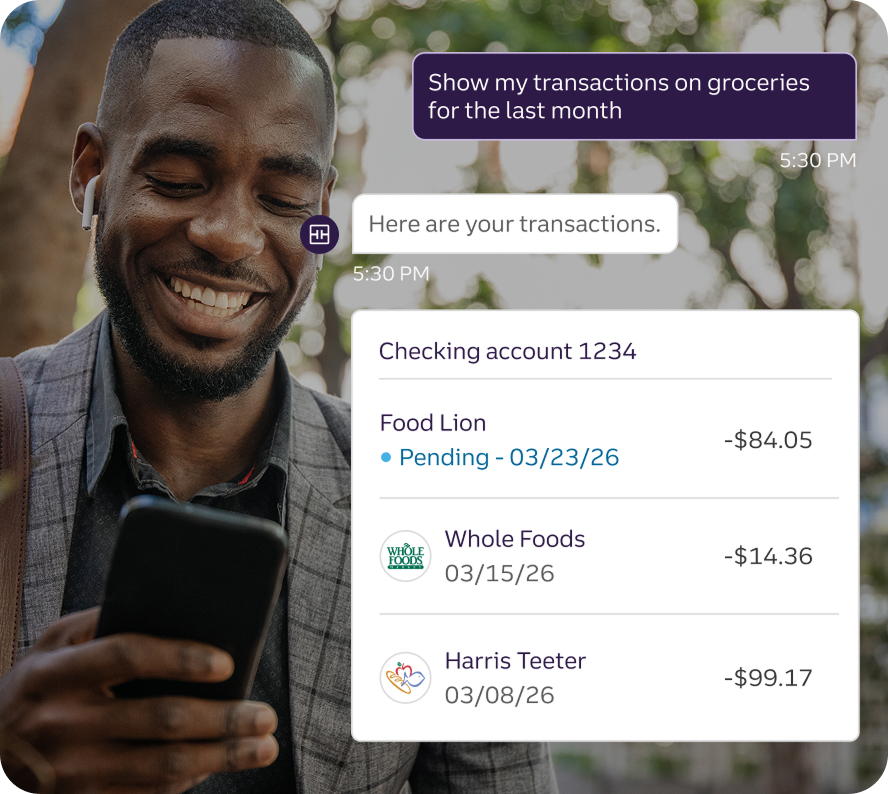
  • Find purchases, payments, and deposits using search commands.
  • Transfer money and pay Truist bills.
  • Receive tips on how to save for big purchases.
Young man using Truist assist to show his grocery transactions for the last month.

Features that work for you

Manage your cards.

Take control of your cards by locking and unlocking them, setting spending limits by dollar amounts or location, and customizing for specific transaction types.Disclosure 7

Set up customized alerts.

Get notified about important account activitiesDisclosure 1 . From daily balances and overdrawn accounts to user ID changes—we’ve got you covered.
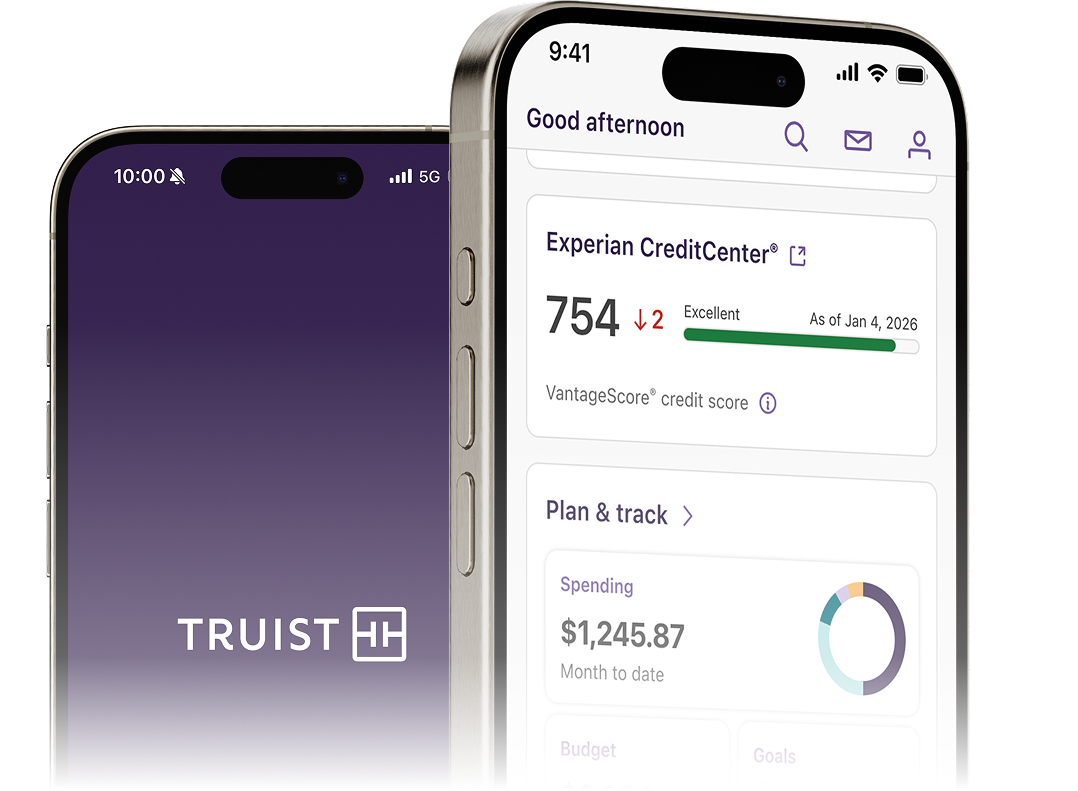
MEET THE TRUIST MOBILE APP

Your bank in your pocket.

Deposit checksDisclosure 3, move money, get email or text alertsDisclosure 1 and view your recent transactions - all in one app, designed with security in mind

Image of Truist mobile app.
Scan to download

Scan this code with your phone’s camera to download the Truist appDisclosure 2.

QR download for the Truist mobile app.
Tap to download

Tap the button to download the Truist appDisclosure 2.

NEED HELP?

Contact us

Make an appointment.

Whether you’re looking for more information, personalized support, or a one-on-one conversation, we’re here to help.

Make an appointment with a Truist teammate.
Call us.

Connect with a Truist teammate to learn more about online and mobile banking.

Monday - Friday: 8 am - 8 pm EST

Saturday: 8 am - 5 pm ET


844-487-8478

Outside of the U.S.: +1-910-914-8250

Frequently asked questions

Component ID : "faq-2133513545"
Model : "faq"
Position : "left"

Online and mobile banking is how Truist lets you do your everyday banking—quickly, securely, and conveniently—using your phone, computer, or tablet.

We proactively fight fraud and other security threats with a multi-layered strategy of technology and dedicated teams. Learn more about Banking fraud detection and prevention solutions.

Mobile deposits using standard availability and received by 9 pm ET are generally available to use the next business day, excluding holds, holidays, and weekends.

If immediate availability is offered and accepted, the available balance will be increased by the amount of the deposited check, minus the applicable fee, at the time the deposit is made. Funds from checks deposited by 11:59pm ET, with the immediate availability service, will be included during nightly processing when determining whether an Overdraft Fee(s) should be assessed and/or whether a check should be paid or returned.
Need additional information?

View personal fee schedule >

View business fee schedule >

No. Truist does not charge a fee to use online banking.
Online banking and the Truist Mobile app are free features included with your checking or savings account. Some transactions or account types may carry their own fees, but accessing online banking itself does not.

View personal fee schedule 
View business fee schedule

For Apple devices:
Visit the App Store and search for Truist MobileDisclosure 2, or visit this link

For all other devices:
Search Google Play for Truist MobileDisclosure 2, or visit this link